How to paint using the Gradient Mesh tool to create a tomato
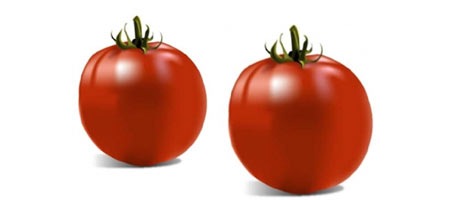

If you’re reasonably familiar with Illustrator’s Pen tool and other path-drawing, selection, and colour tools, you can use the Gradient Mesh feature to add realistic colouring, lighting, and 3D characteristics to a flat vector object. Ultimately, gradient mesh can give you the effect of photo-realistic painting with all the benefits and freedom of resolution-independent vector artwork.